
“Just checking in on the project” — the email every service business dreads. Your clients aren’t being needy; they just don’t have visibility into what’s happening. So they ask. And ask again. And your team spends half their day writing status updates instead of doing the actual work.
Task and project tracking in your portal gives clients a live window into progress, milestones, and deliverables. They check the dashboard instead of emailing you, and your team gets to focus on delivery instead of reporting.
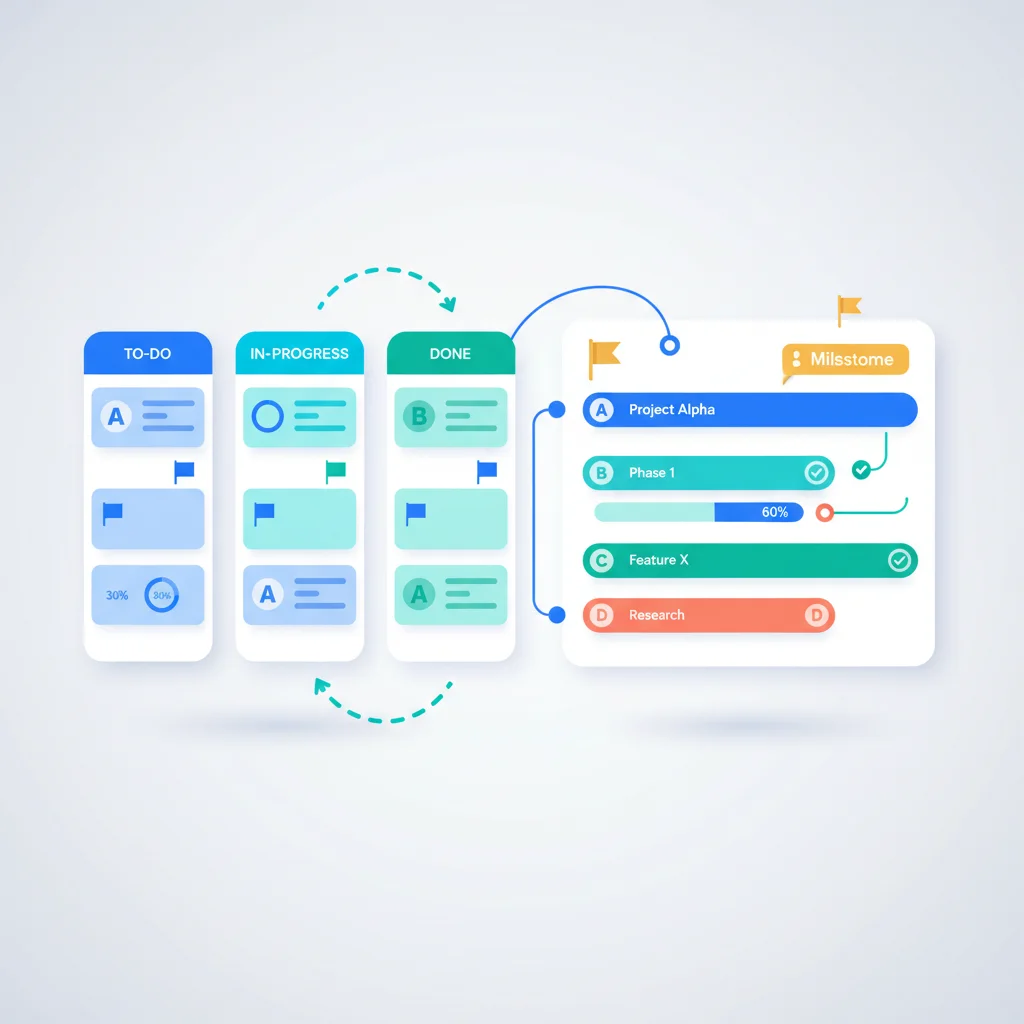
What Clients See
Project overview
A dashboard showing all active projects with their current status, next milestones, and overall progress. At a glance, clients understand where things stand.
Task-level detail
For clients who want more detail, a task list showing individual work items, their status (not started, in progress, completed), and assignments. This provides transparency without requiring internal project management tools to be shared with clients.
Milestones and timeline
Key milestones plotted on a timeline, showing what’s been completed and what’s upcoming. This is particularly valuable for long-running projects like construction or software development.
Activity feed
A chronological record of project activity — tasks completed, documents shared, messages sent, milestones reached. Clients can see that work is happening even between formal updates.
Benefits
- Fewer status update requests — Clients check the portal instead of calling or emailing for updates.
- Better client expectations — Visible timelines and milestones set clear expectations about what’s coming and when.
- Accountability — Both your team and the client can see what’s been promised vs. what’s been delivered.
- Client involvement — Some tasks require client action (approvals, feedback, document uploads). The portal makes these clear.
Key Capabilities
- Project dashboards — Overview of all active and completed projects for a client
- Task lists — Filterable, sortable task views with status, assignee, and due dates
- Milestone tracking — Key deliverables and dates with progress indicators
- Gantt charts or timeline views — Visual project timelines (optional but useful for complex projects)
- Client tasks — Tasks assigned to the client (approvals, reviews, information requests)
- Comments on tasks — Contextual communication attached to specific work items
- File attachments — Documents and deliverables attached to the tasks they relate to
Project Tracking Tools
- Monday.com — Work management with guest access for clients
- Teamwork — Project management built for agencies with client-level access
- Asana — Project management with guest access and project portfolios
- Basecamp — Project management with client access as a core feature
- Productive — Agency management with client visibility