Your project managers shouldn’t spend half their week assembling status updates instead of managing actual work. But when client collaboration runs on email and FTP sites, that’s exactly what happens — files bounce, clients review outdated drawing sets, and feedback gets scattered across a dozen channels.
A client portal for architecture and engineering firms centralizes project deliverables, streamlines review and approval workflows, and gives clients real-time visibility into progress, budgets, and milestones. Less time playing middleman, more time on design.
Problems a Portal Solves for AEC Firms
Large file sharing is a constant pain point
AEC firms deal with file types and sizes that most collaboration tools aren’t designed for. CAD files, BIM models, high-resolution renderings, construction document sets — these routinely run into the hundreds of megabytes or gigabytes. Email can’t handle them. Consumer file-sharing tools hit size limits or strip metadata.
A portal with document management designed for large files solves this at the infrastructure level. Clients access the latest drawing sets directly from the portal, with version history so they can compare revisions. No more emailing links to Dropbox folders, hoping the client downloads the right version, or discovering mid-meeting that everyone is looking at different drawings.
Client review and markup workflows are disorganized
Design review is iterative. Architects present concepts, clients provide feedback, designs are revised, and the cycle repeats. When this feedback loop runs through email — with comments in the body, markups attached as PDFs, and verbal feedback from meetings summarized in follow-up emails — important input gets lost.
A portal with structured review workflows lets clients view drawings, annotate directly on documents, and submit comments tied to specific elements of the design. All feedback is captured in one place, organized by drawing set and revision. The design team sees all comments in context rather than reconstructing feedback from multiple sources.
This is particularly valuable on projects with multiple stakeholders — a developer, a tenant, a facilities manager — each providing feedback from their own perspective. The portal becomes the single source of truth for client input.
Project milestone tracking requires constant manual updates
AEC projects move through defined phases: schematic design, design development, construction documents, bidding, construction administration. Clients want to know which phase they’re in, what’s coming next, and whether the timeline is on track.
Most firms communicate this through periodic status reports — monthly PDFs or weekly email updates that are always slightly outdated by the time they’re sent. Clients who want real-time information call their project manager.
A portal with project tracking shows clients exactly where their project stands. Phase completion, upcoming milestones, deliverable schedules, and timeline changes are visible in real time. When the schematic design phase extends by two weeks, the client sees it on their dashboard rather than hearing about it in a phone call.
RFI management across multiple parties
Requests for Information (RFIs) are a formal part of AEC project communication, particularly during construction. Contractors submit RFIs to the architect, who may need to consult with the client, engineers, or other consultants before responding. When RFIs are managed through email and spreadsheets, tracking becomes unwieldy — especially on projects with hundreds of RFIs.
A portal with RFI management provides a structured workflow: submit, route, review, respond, and close. All parties see the status of every RFI. Response times are tracked. The complete RFI log is searchable and auditable — which matters both during construction and for potential claims afterward.
Budget and invoice management on long projects
AEC projects often run for years, with billing structured around phase completion, hourly rates, or monthly retainers. Clients need to track how much has been billed, how much remains in the budget, and what additional services have been authorized.
A portal with billing and payment visibility shows clients their complete financial picture: original contract amount, approved change orders, amounts invoiced, amounts paid, and remaining budget. This transparency reduces billing disputes and speeds up payment — because clients who understand their invoices pay faster than clients who are confused by them.
Key Features for AEC Client Portals
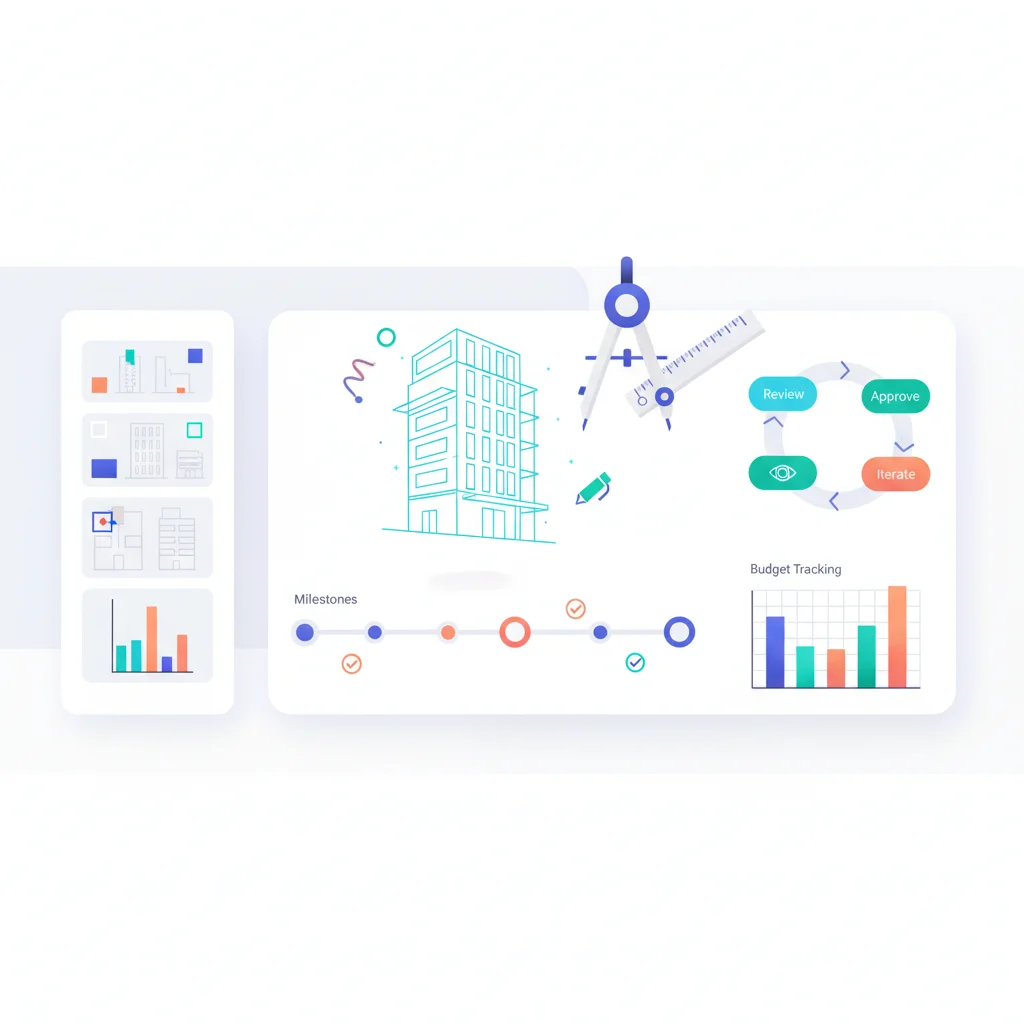
- Project dashboard — Visual overview of project phase, timeline, milestones, and status.
- Document management — Large file support (CAD, BIM, PDF sets) with version control, revision history, and organized folder structures by phase and discipline.
- Drawing review and markup — Online viewing and annotation of drawings and documents, with comment threads tied to specific elements.
- Approval workflows — Formal client sign-off on deliverables, with tracked approval history and digital signatures.
- RFI management — Submit, route, track, and respond to RFIs with full audit trail.
- Submittal tracking — Manage construction submittals with status tracking and approval workflows.
- Progress photos and renderings — Share project photography, 3D renderings, and visual updates organized by date and project area.
- Budget tracking — Contract amounts, change orders, invoices, payments, and remaining budget in real time.
- Meeting minutes and reports — Centralized access to meeting notes, site reports, and project correspondence.
- Team directory — Contact information for all project team members across firms and disciplines.
AEC Portal and Project Management Software
- Newforma — Project information management for AEC firms with document management, RFI tracking, and submittals.
- Procore — Construction management platform with owner-facing portals, document management, RFIs, and submittals.
- PlanGrid — Now part of Autodesk Construction Cloud. Field collaboration with drawing management, RFIs, and markup tools.
- BIM 360 / Autodesk Construction Cloud — Project management platform for design and construction with document management, design review, and issue tracking.
- Aconex — Oracle’s construction collaboration platform for document control, RFIs, correspondence, and workflows. Used heavily on large-scale projects.
- ProjectSight — Trimble’s construction project management with document management and field tools.
- Kahua — Construction project management with a focus on owner-centric collaboration, document management, and cost tracking.
For firms that need a client-facing portal beyond what their project management tool provides, building a custom dashboard that pulls data from Procore, BIM 360, or other systems via API integration can provide a cleaner, more curated client experience.
Client Experience as a Differentiator
Architecture and engineering are relationship-driven industries. Clients choose firms based on portfolio, reputation, and the experience of working together. A polished client portal signals that your firm is organized, transparent, and technology-forward.
This matters particularly during the selection process. When competing for a project, being able to demonstrate your client portal — showing prospects how they’ll track their project, review drawings, and communicate with your team — is a tangible differentiator. It answers the client’s unspoken question: “What will it be like to work with this firm?”
A white-labeled portal that carries your firm’s branding, rather than a generic project management login screen, reinforces the professional identity you’ve built. Every interaction with the portal is a touchpoint with your brand.
Beyond acquisition, portals drive retention and referrals. Clients who had a transparent, well-organized project experience are more likely to return for future projects and refer colleagues. In an industry where repeat clients and referrals drive a significant portion of revenue, the client experience isn’t a nice-to-have — it’s a business development strategy.
Managing Multiple Stakeholders
AEC projects typically involve multiple stakeholders with different information needs:
- Building owners care about budget, timeline, and major design decisions.
- Developers want detailed progress tracking and financial reporting across multiple projects.
- Facility managers need access to as-built drawings, specifications, and equipment data for operations.
- Tenants may need to review and approve interior design elements.
- Contractors need construction documents, RFIs, and submittal access.
Role-based access control within the portal ensures each stakeholder sees the information relevant to their role. The building owner doesn’t need to see every RFI. The contractor doesn’t need to see the owner’s budget details. Each user gets a tailored view of the same project.
What Architecture Portals Look Like in Practice
Let’s walk through what a client actually experiences when an AEC firm uses a portal — because the gap between “we email PDFs” and “we have a client portal” is enormous.
It’s Thursday afternoon, the day before a design review meeting. The building owner — let’s call him David — logs into the project portal from his laptop. The dashboard shows the project is 65% through the Design Development phase. He clicks into the documents section and downloads the latest floor plan set, updated yesterday with the revised conference room layout he requested. In the photos tab, he scrolls through progress images from last week’s site visit, seeing the steel framing going up on the second floor. Before closing, he checks the budget summary: original contract amount, three approved change orders, and the remaining balance — all laid out clearly. He walks into tomorrow’s meeting fully informed, with specific questions rather than a vague “so where are we?”
That’s the experience that separates firms clients love working with from firms clients tolerate. The information was always available — it just used to require a phone call, an email chain, or waiting for the next monthly report.
For residential projects, Buildertrend shows what this experience looks like when it’s fully realized. Homeowners log in and pick finishes from curated selection lists, track construction progress through daily photo updates uploaded by the crew, and approve change orders with cost impacts shown clearly — all from their phone. While Buildertrend targets home builders and remodelers specifically rather than architecture firms, it demonstrates the level of client transparency that small AEC practices can aspire to. When your client can see their project evolving in real time, the trust and satisfaction levels are in a different league from the “we’ll send you an update next month” approach.
Many small architecture firms start with simpler tools before investing in full AEC platforms. A shared Clinked workspace or even a well-organized Notion project page can serve as a lightweight client portal — a central place for documents, meeting notes, and project updates. It’s not as polished as a purpose-built construction management platform, but it’s a massive step up from email and FTP. The key insight is that any portal is better than no portal, and you can always upgrade the tooling as your firm grows and your clients’ expectations evolve.
The firms that get the most value from portals are the ones that make them part of the client relationship from day one — introducing the portal during the kickoff meeting, walking the client through how to access documents and check progress, and setting the expectation that the portal is where project communication lives. When clients adopt the portal early, the reduction in ad-hoc phone calls and status-request emails is dramatic.