Your students are juggling Teachable for lessons, Calendly for calls, Google Drive for worksheets, and email for everything else. No wonder course completion rates are in the single digits. Every extra login is another reason to stop showing up.
A membership portal for coaches and course creators brings the entire experience — content, scheduling, communication, payments, and progress tracking — into one branded space. Fewer tools, less friction, and students who actually finish what they started.
Problems a Client Portal Solves for Coaches
Tool fatigue is killing your completion rates
Course completion rates across the e-learning industry hover around 5-15%. That’s abysmal. And while some of that is about motivation, a significant chunk comes down to friction. Every time a student has to log into a different platform, remember a different password, or hunt for the right link in an old email, you’re giving them a reason to stop.
A portal with self-service access to all course materials, worksheets, recordings, and resources eliminates that friction. Everything lives in one place. One login. One bookmark. The student opens the portal and picks up exactly where they left off.
”Did you get my email?” — the communication black hole
Coaches who rely on email for client communication inevitably end up with missed messages, buried threads, and students who feel ignored. When a student sends a question about Module 3 and the reply gets lost in a promotional email avalanche, that student disengages.
Secure messaging inside a portal keeps coaching communication contextualized and separated from the noise of regular email. Group coaching discussions can happen in dedicated channels rather than unwieldy email chains or Facebook groups you don’t control.
Scheduling chaos across time zones
Business coaches and life coaches live by their calendars. Managing session bookings, rescheduling, cancellations, and time zone conversions manually (or through a disconnected Calendly link) adds unnecessary overhead. A portal with integrated scheduling lets clients book sessions based on real-time availability, receive automated reminders, and manage their own appointments without back-and-forth emails.
No visibility into student progress
When you’re coaching 50 or 100 students simultaneously, you lose track of who’s progressing and who’s stuck. Without a system for tracking progress, coaches either micromanage (checking in constantly) or under-manage (not noticing a student hasn’t logged in for three weeks).
A portal with reporting and analytics gives coaches dashboards showing completion rates, engagement levels, and which students need attention — without having to ask.
Payment and subscription management is a mess
Many coaches run subscription-based programs, cohort-based courses, or tiered membership levels. Managing recurring payments through Stripe while manually granting access to course materials creates gaps. Students whose payments fail don’t get cut off. People who cancel still have access. New members wait days for someone to manually add them to the Google Drive folder.
A portal with billing and payment management ties access directly to payment status. Subscriptions renew automatically. Failed payments trigger access restrictions. Upgrades and downgrades happen in real time.
Key Features for Coaching and Course Portals
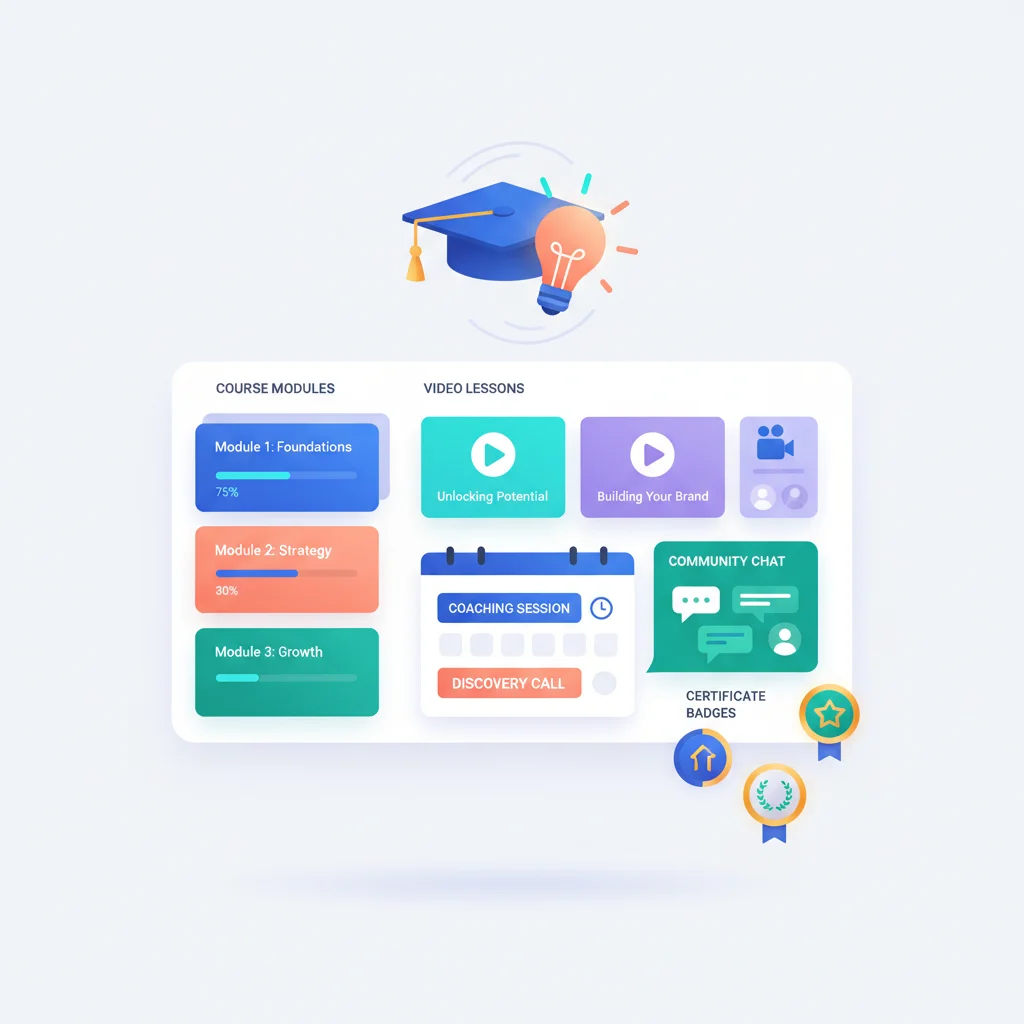
- Course content delivery — Structured modules with lessons, videos, worksheets, and downloadable resources. Sequential unlocking so students progress in order.
- Progress tracking — Students see their completion status, and coaches get dashboards showing engagement across all students.
- Session scheduling — Integrated booking for 1:1 coaching calls, group sessions, and office hours with time zone handling and reminders.
- Community and group discussion — Discussion boards, group messaging, or cohort-specific channels for peer interaction.
- Secure messaging — Direct communication between coach and student, attached to specific modules or coaching topics.
- Payment and subscription management — Recurring billing, payment history, plan upgrades/downgrades, and access control tied to payment status.
- Resource library — Centralized repository for templates, worksheets, recordings, bonus materials, and reference documents.
- Certificates and milestones — Automated certificate generation when students complete a course or reach defined milestones.
- Onboarding workflows — Structured intake for new coaching clients: goals, assessments, agreements, and initial scheduling.
Why Coaches Outgrow Teachable and Kajabi
Platforms like Teachable, Kajabi, and Thinkific are excellent starting points. They handle course hosting, payments, and basic student management. But coaches and course creators who build more complex businesses — combining 1:1 coaching with group programs, communities, and multiple product tiers — consistently run into limitations.
The core issue is that these platforms were designed for course delivery, not for a full coaching relationship. They don’t handle scheduling well. Group coaching communication is basic or nonexistent. Reporting is limited to course-level metrics. And customization hits a ceiling quickly.
Coaches who want a unified client experience — where the student logs into one place and sees their courses, upcoming sessions, messages from their coach, community discussions, and payment history — need something that goes beyond a course platform.
This is where a dedicated client portal becomes valuable. It’s not about replacing your course hosting. It’s about wrapping the entire coaching experience in a professional, branded interface that makes your business feel like a business, not a collection of SaaS subscriptions.
The AI Advantage for Coaching Portals
Coaching portals are uniquely positioned to benefit from AI capabilities. Two use cases stand out:
AI-powered Q&A on course material. When a student has a question about something covered in Module 4 at 11 PM on a Sunday, they shouldn’t have to wait until business hours for an answer. An AI chatbot trained on your course content can provide instant, accurate answers to common questions — pulling from your lessons, worksheets, and FAQs. This doesn’t replace the coach, but it handles the 80% of questions that are factual or procedural.
Personalized learning recommendations. Based on a student’s progress, quiz results, and engagement patterns, AI can suggest what to work on next, recommend specific resources, or flag areas where the student might be struggling. This kind of personalization is impossible to deliver manually at scale, but it’s exactly what makes coaching feel high-touch.
A good knowledge base combined with AI capabilities can dramatically reduce repetitive questions while improving the student experience.
Coaching Portal Software
- Circle — Community platform with courses, members, spaces, and events. Strong for community-first coaching businesses.
- Mighty Networks — Community and course platform with a native app, events, and member directories.
- Skool — Simple community-first platform with courses, leaderboards, and gamification. Popular among coaches building community-driven programs.
- Practice — Client management platform for coaches with scheduling, contracts, forms, and a client portal. Designed specifically for the 1:1 coaching relationship.
- CoachAccountable — Coaching-specific platform with action items, session management, metrics tracking, and client portals.
- Simplero — All-in-one platform for course creators with courses, memberships, email marketing, and a customer area.
- Paperbell — Coaching-specific platform for scheduling, payments, contracts, and client delivery.
- Heights Platform — AI-powered course platform with community features and progress tracking.
For coaches who need more flexibility, building a custom portal using a no-code platform can be a viable path, especially when existing tools don’t fit the specific coaching model.
What Coaching Portals Look Like in Practice
Let’s look at what a coaching portal actually feels like from the client’s side — because for coaches, the experience is the product.
It’s Monday morning. Your business coaching client, Marcus, opens the portal from his phone over coffee. His dashboard shows his next session is Wednesday at 2 PM, with a prep note from his coach: “Bring your Q4 revenue numbers — we’re mapping your growth targets.” Below that, he sees last week’s action items. He checks off “Finalize pricing page” (done over the weekend) and “Send intro email to three potential partners” (sent on Friday). The third item — “Draft 90-day hiring plan” — is still in progress, so he leaves it. He uploads the revenue spreadsheet his coach asked for, taps the message icon, and sends a quick note: “Wednesday works but could we push to 2:30? Got a client call running over.” He closes the app in under three minutes. Everything that used to be scattered across Calendly, Google Drive, and email is in one place.
That’s the experience Practice.do was built to deliver. Unlike course platforms that bolt on coaching features as an afterthought, Practice is designed around the 1:1 coaching relationship. Clients log in and see their upcoming sessions, complete intake questionnaires, access session notes and action items, and communicate with their coach — all in a clean interface that feels personal rather than corporate. For solo coaches and small practices, it replaces the patchwork of four or five separate tools that most coaches start with.
For coaches who lean more toward community and group programs, Skool takes a different approach. Members log in and see their course progress alongside a community feed, earn points on a leaderboard for engagement, and participate in discussions with other members — all in one place. It’s simple by design, which is part of the appeal. There’s no feature overload or complex setup. A coach can launch a community-based program on Skool in a day, and members immediately understand how to use it. The gamification elements — leaderboards, points, levels — drive the kind of consistent engagement that most course platforms struggle to achieve.
The real transformation, though, isn’t about any single platform. It’s about what happens when a coaching client has one place to go for everything related to their coaching engagement. They stop losing action items in email threads. They stop forgetting what was discussed three sessions ago. They stop no-showing because they forgot to check their calendar. The portal creates a container for the coaching relationship that makes the work feel more structured, more professional, and more valuable — which is exactly how you justify premium coaching fees and keep clients renewing.