
Interior design is one of the most communication-intensive client relationships in any professional service. Every project involves hundreds of decisions — paint colors, fabric swatches, furniture selections, layouts, lighting fixtures, hardware finishes — each requiring client review and approval. When all of this runs through email, decisions get buried, approvals stall, and designers spend more time managing communication than designing.
A client portal for interior design firms provides a single, visually organized space where clients review selections, approve proposals, track budgets, and communicate with their design team. Fewer lost emails, faster decisions, and a client experience that matches the quality of the design work itself.
Problems a Portal Solves for Interior Design Firms
Selection and approval processes take forever
A typical residential interior design project involves dozens of individual selections — flooring, countertops, tile, cabinetry, lighting, plumbing fixtures, window treatments, furniture, accessories — each requiring client review and approval. When selections are presented via email (PDFs, links to vendor sites, photos from showroom visits), the client is overwhelmed and the feedback loop is painfully slow.
A portal with a structured approval workflow presents selections in an organized, visual format. Clients see each selection with images, specifications, pricing, and the designer’s notes. They approve, request changes, or leave comments — all in one place, with a clear record of every decision. No more “I think I approved that countertop but I can’t find the email.”
Budget tracking is opaque
Interior design budgets are complex. There’s the design fee (hourly, flat, or percentage-based), procurement costs (furniture, fixtures, materials), contractor costs, shipping, installation, and the inevitable contingency for surprises behind walls. Clients who don’t have visibility into where the budget stands get anxious — and anxious clients slow down approvals because every decision feels like a financial risk.
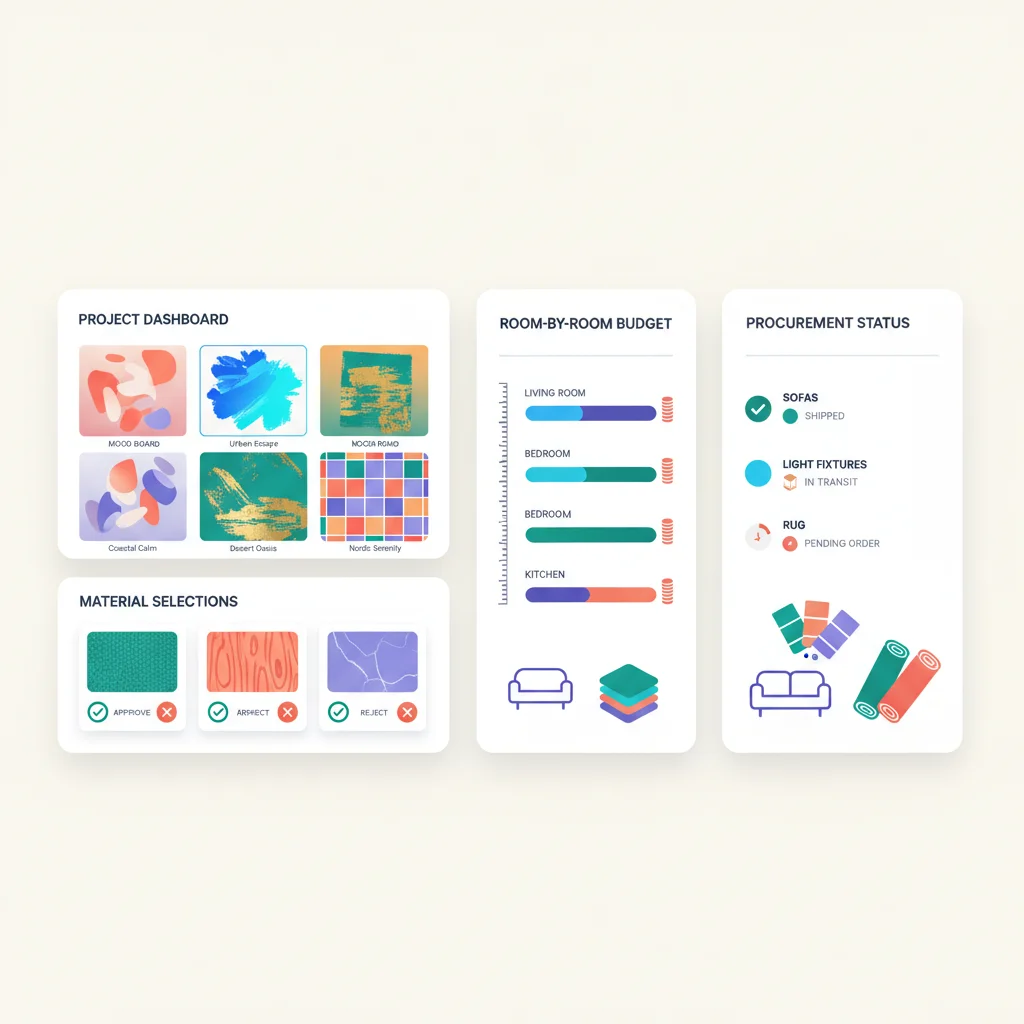
A portal with budget tracking shows clients the complete financial picture: allocated budget by room or category, amounts committed, amounts spent, remaining budget, and pending items. When a client can see that they’re 60% through the living room budget with only the sofa and side tables left to select, they make decisions faster and with more confidence.
Mood boards and design concepts get lost in email
Design presentations — mood boards, concept boards, 3D renderings, material palettes — are visual documents that deserve better than an email attachment. When a designer sends a mood board as a PDF and the client responds with “love it but can we swap the rug?”, the designer opens the original file, makes changes, exports a new PDF, and sends another email. Multiply this by 10 rooms and the version control nightmare begins.
A portal where design presentations live as shareable, commentable documents gives clients a gallery of their project vision. They can annotate directly on mood boards, compare options side by side, and revisit decisions later. The designer sees all feedback in context rather than parsing email paragraphs.
Trade-only purchasing is confusing for clients
Most interior designers purchase furniture and materials through trade accounts at wholesale pricing and mark up to retail for the client. This is standard practice, but it creates complexity: clients see designer pricing on some items (from the portal or proposals) and retail pricing on others (if they Google the same item). Without transparency about the purchasing process, trust erodes.
A portal that presents client-facing pricing clearly — showing the client price, not the wholesale cost — while managing the trade procurement workflow on the back end removes confusion. Clients see what they’re paying, approve purchases, and track orders without being exposed to the wholesale-retail mechanics.
Project timelines slip without anyone noticing
Interior design projects — especially renovations — have long timelines with many dependencies. The tile has to be ordered before the contractor can schedule installation. The custom sofa takes 12 weeks. The wallpaper is backordered. When these timelines live in the designer’s head or in a spreadsheet, clients don’t know what to expect and are surprised by delays.
A portal with project tracking gives clients a clear view of where things stand: which items are ordered, expected delivery dates, contractor schedules, and upcoming decisions they need to make. When the client can see that their dining table is 8 weeks into a 14-week lead time, they stop asking “is the table here yet?” every week.
Key Features for Interior Design Portals
- Selection presentation — Visual galleries of proposed selections organized by room, category, or phase with images, specs, pricing, and designer notes.
- Approval workflows — Structured approve/revise/reject flow for selections, proposals, and design concepts with documented decision history.
- Mood boards and concepts — Shareable, commentable design presentations with annotation and comparison tools.
- Budget dashboard — Real-time budget tracking by room, category, or phase showing allocated, committed, spent, and remaining amounts.
- Procurement tracking — Order status for every item: ordered, in transit, received, installed. Expected delivery dates and lead time visibility.
- Invoicing and payments — Design fee invoices, procurement billing, retainer tracking, and online payments.
- Document sharing — Floor plans, elevations, construction drawings, contracts, and specifications.
- Messaging — Contextualized communication attached to specific rooms, selections, or project phases.
- Photo updates — Installation progress photos organized by room and date.
- Material library — Archive of all selected and considered materials, finishes, and products for the project.
Interior Design Portal Software
- Houzz Pro — Business management platform for interior designers and home professionals with mood boards, proposals, invoicing, project tracking, and a client-facing portal. The client dashboard lets clients approve selections, view estimates, and make payments.
- Studio Designer — Interior design business management with procurement, accounting, time tracking, and client-facing proposals and invoicing. Long-established in the trade.
- Ivy (by Houzz) — Now part of Houzz Pro. Project management and procurement tracking designed specifically for interior designers.
- DesignFiles — Interior design project management with visual proposals, mood boards, product sourcing, and a client portal for viewing and approving designs.
- Mydoma Studio — Client management platform for interior designers with mood boards, proposals, project tracking, invoicing, and a client portal.
- Design Manager — Comprehensive business management for interior design firms with procurement, accounting, project management, and client-facing reports.
For smaller firms or solo designers who don’t need full procurement management, general-purpose tools like Dubsado or HoneyBook provide client portals with invoicing, contracts, and communication — though they lack the trade-specific purchasing features.
The Client Experience as a Selling Point
Interior design is a competitive field, and the client experience during the selection process often determines whether someone refers you. Designers who present selections through a polished portal — with professional layouts, clear pricing, and easy approval — project a level of organization and sophistication that builds confidence.
This matters especially during the sales process. When a prospective client asks “what’s it like to work with you?”, being able to demo your client portal — showing how they’ll review selections, track their budget, and communicate with the team — is a concrete differentiator. It answers the unspoken question: “Will this be organized, or will it be chaos?”
A white-labeled portal that carries your firm’s branding reinforces the design sensibility you’re selling. Every touchpoint should feel intentional — because for a design firm, an ugly or clunky client experience undermines credibility.
What an Interior Design Portal Looks Like in Practice
The Martins are renovating their kitchen and family room. They’ve hired a designer and just completed their first in-person meeting — talking through wish lists, pain points, and inspiration photos. A few days later, they get a link to their project portal.
When they log in, the first thing they see is a mood board for the kitchen: warm white cabinetry, a bold quartzite waterfall island, brass hardware, and a blue-green handmade tile backsplash. Below the mood board, each element is broken out as an individual selection with a product photo, the vendor name, dimensions, the client price, and the designer’s note explaining why it was chosen. Under the backsplash tile, the designer has written: “This Zellige tile adds warmth and texture without competing with the quartzite. The irregular edges give it a handmade feel that works beautifully with the brass hardware.” The Martins click “Approve” on the cabinetry and tile, but leave a comment on the island countertop: “We love the quartzite but want to see a comparison with that marble we saw at the showroom.”
Over the following weeks, the portal becomes their project hub. They approve furniture selections for the family room, review the lighting plan, and watch the budget dashboard update in real time as each item is committed. When they upgrade from stock cabinetry to custom, they see exactly how it affects the budget — no surprises, no difficult phone calls. The procurement tracker shows lead times for every item: the custom range hood ships in 10 weeks, the dining chairs in 6, the light fixtures are in stock.
This is the kind of experience Houzz Pro is built to deliver. Designers create visual proposals with product images, specifications, and pricing, and clients review and approve everything through a dedicated dashboard. The platform handles the full lifecycle from mood board to invoice, with client visibility at every step. For designers who also source furniture and materials through trade accounts, Studio Designer goes deeper on the procurement side — managing purchase orders, tracking shipments from dozens of vendors, and generating client-facing invoices that properly account for markups and sales tax without exposing wholesale costs.
For solo designers and small studios, Mydoma Studio offers a clean middle ground — mood boards, proposals, project timelines, and a client portal without the accounting complexity of Studio Designer. It’s the kind of tool where you can have a polished client experience running within a day, which matters when you’re a one-person firm and every hour spent on admin is an hour not designing.